


Convenience package for dealing with graphics in my pixel drawing experiments.
Triangles can be drawn to an image using a *gfx.DrawTarget.

package main

import "github.com/peterhellberg/gfx"

var p = gfx.PaletteFamicube

func main() {
	n := 50
	m := gfx.NewPaletted(900, 270, p, p.Color(n+7))
	t := gfx.NewDrawTarget(m)

	t.MakeTriangles(&gfx.TrianglesData{
		vx(114, 16, n+1), vx(56, 142, n+2), vx(352, 142, n+3),
		vx(350, 142, n+4), vx(500, 50, n+5), vx(640, 236, n+6),
		vx(640, 70, n+8), vx(820, 160, n+9), vx(670, 236, n+10),
	}).Draw()

	gfx.SavePNG("gfx-example-triangles.png", m)
}

func vx(x, y float64, n int) gfx.Vertex {
	return gfx.Vertex{Position: gfx.V(x, y), Color: p.Color(n)}
}gfx.Batch accumulates many transformed instances of a triangle template into a single container and lets you flush them onto a destination in one Draw call. Change the Batch's matrix between draws to position, rotate and scale each instance.

package main

import "github.com/peterhellberg/gfx"

func main() {
	var (
		p    = gfx.PaletteInk
		dst  = gfx.NewPaletted(1024, 256, p, p[0])
		b    = gfx.NewBatch(&gfx.TrianglesData{}, nil)
		star = makeStar(12, 5, 5)
	)

	for i := range 120 {
		c := p.Color(1 + (i*3)%(p.Len()-1))

		for j := range *star {
			(*star)[j].Color = c
		}

		b.SetMatrix(gfx.IM.
			RotatedDegrees(gfx.ZV, float64(i)*7).
			Moved(gfx.IV(36+(i%15)*68, 16+(i/15)*32)),
		)

		b.MakeTriangles(star).Draw()
	}

	b.Draw(gfx.NewDrawTarget(dst))

	gfx.SavePNG("gfx-example-batch.png", dst)
}

func makeStar(outer, inner float64, tips int) *gfx.TrianglesData {
	n := tips * 2

	pt := func(i int) gfx.Vec {
		r := outer
		if i%2 == 1 {
			r = inner
		}
		a := -gfx.Pi/2 + float64(i)*gfx.Pi/float64(tips)

		return gfx.V(r*gfx.MathCos(a), r*gfx.MathSin(a))
	}

	var td gfx.TrianglesData

	for i := range n {
		td = append(td,
			gfx.Vx(gfx.V(0, 0)),
			gfx.Vx(pt(i)),
			gfx.Vx(pt((i+1)%n)),
		)
	}

	return &td
}A gfx.Polygon is represented by a list of vectors.
There is also gfx.Polyline which is a slice of polygons forming a line.

package main

import "github.com/peterhellberg/gfx"

var edg32 = gfx.PaletteEDG32

func main() {
	m := gfx.NewNRGBA(gfx.IR(0, 0, 1024, 256))
	p := gfx.Polygon{
		gfx.V(80, 40),
		gfx.V(440, 60),
		gfx.V(700, 200),
		gfx.V(250, 230),
		gfx.V(310, 140),
	}

	p.EachPixel(m, func(x, y int) {
		pv := gfx.IV(x, y)
		l := pv.To(p.Rect().Center()).Len()

		gfx.Mix(m, x, y, edg32.Color(int(l/18)%32))
	})

	for n, v := range p {
		c := edg32.Color(n * 4)

		gfx.DrawCircle(m, v, 15, 8, gfx.ColorWithAlpha(c, 96))
		gfx.DrawCircle(m, v, 16, 1, c)
	}

	gfx.SavePNG("gfx-example-polygon.png", m)
}You can draw (isometric) blocks using the gfx.Blocks and gfx.Block types.

package main

import "github.com/peterhellberg/gfx"

func main() {
	var (
		dst    = gfx.NewPaletted(898, 330, gfx.PaletteGo, gfx.PaletteGo[14])
		rect   = gfx.BoundsToRect(dst.Bounds())
		origin = rect.Center().ScaledXY(gfx.V(1.5, -2.5)).Vec3(0.55)
		blocks gfx.Blocks
	)

	for i, bc := range gfx.BlockColorsGo {
		var (
			f    = float64(i) + 0.5
			v    = f * 11
			pos  = gfx.V3(290+(v*3), 8.5*v, 9*(f+2))
			size = gfx.V3(90, 90, 90)
		)

		blocks.AddNewBlock(pos, size, bc)
	}

	blocks.Draw(dst, origin)

	gfx.SavePNG("gfx-example-blocks.png", dst)
}The gfx.SignedDistance type allows you to use basic signed distance functions (and operations) to produce some interesting graphics.

package main

import "github.com/peterhellberg/gfx"

func main() {
	c := gfx.PaletteEDG36.Color
	m := gfx.NewImage(1024, 256, c(5))

	gfx.EachPixel(m.Bounds(), func(x, y int) {
		sd := gfx.SignedDistance{Vec: gfx.IV(x, y)}

		if d := sd.OpRepeat(gfx.V(128, 128), func(sd gfx.SignedDistance) float64 {
			return sd.OpSubtraction(sd.Circle(50), sd.Line(gfx.V(0, 0), gfx.V(64, 64)))
		}); d < 40 {
			m.Set(x, y, c(int(gfx.MathAbs(d/5))))
		}
	})

	gfx.SavePNG("gfx-example-sdf.png", m)
}You can use the CmplxPhaseAt method on a gfx.Palette to do domain coloring.

package main

import "github.com/peterhellberg/gfx"

const (
	w, h        = 1800, 540
	fovY        = 1.9
	aspectRatio = float64(w) / float64(h)
	centerReal  = 0
	centerImag  = 0
	ahc         = aspectRatio*fovY/2.0 + centerReal
	hfc         = fovY/2.0 + centerImag
)

func pixelCoordinates(px, py int) gfx.Vec {
	return gfx.V(
		((float64(px)/(w-1))*2-1)*ahc,
		((float64(h-py-1)/(h-1))*2-1)*hfc,
	)
}

func main() {
	var (
		p  = gfx.PaletteEN4
		p0 = pixelCoordinates(0, 0)
		p1 = pixelCoordinates(w-1, h-1)
		y  = p0.Y
		d  = gfx.V((p1.X-p0.X)/(w-1), (p1.Y-p0.Y)/(h-1))
		m  = gfx.NewImage(w, h)
	)

	for py := range h {
		x := p0.X

		for px := range w {
			cc := p.CmplxPhaseAt(gfx.CmplxCos(gfx.CmplxSin(0.42 / complex(y*x, x*x))))

			m.Set(px, py, cc)

			x += d.X
		}

		y += d.Y
	}

	gfx.SavePNG("gfx-example-domain-coloring.png", m)
}There is rudimentary support for making animations using gfx.Animation, the animations can then be encoded into GIF.

package main

import "github.com/peterhellberg/gfx"

func main() {
	a := &gfx.Animation{}
	p := gfx.PaletteEDG36

	var fireflower = []uint8{
		0, 1, 1, 1, 1, 1, 1, 0,
		1, 1, 2, 2, 2, 2, 1, 1,
		1, 2, 3, 3, 3, 3, 2, 1,
		1, 1, 2, 2, 2, 2, 1, 1,
		0, 1, 1, 1, 1, 1, 1, 0,
		0, 0, 0, 4, 4, 0, 0, 0,
		0, 0, 0, 4, 4, 0, 0, 0,
		4, 4, 0, 4, 4, 0, 4, 4,
		0, 4, 0, 4, 4, 0, 4, 0,
		0, 4, 4, 4, 4, 4, 4, 0,
		0, 0, 4, 4, 4, 4, 0, 0,
	}

	for i := 0; i < len(p)-4; i++ {
		t := gfx.NewTile(p[i:i+5], 8, fireflower)

		a.AddPalettedImage(gfx.NewScaledPalettedImage(t, 20))
	}

	a.SaveGIF("gfx-example-animation.gif")
}gfx.Turtle is a small Turtle inspired drawing type. (Resize, Turn, Move, Forward, Draw)
https://www.cse.wustl.edu/~taoju/research/TurtlesforCADRevised.pdf

package main

import "github.com/peterhellberg/gfx"

func main() {
	p := gfx.PaletteNYX8
	m := gfx.NewImage(1024, 256, p[0])

	x := 74
	n := 21

	ends := []gfx.Vec{}

	for j := range 4 {
		gfx.NewTurtle(gfx.IV(x, 225), func(t *gfx.Turtle) {
			for i := range n {
				t.Width = t.Width + 0.003
				t.Color = p.Color(1 + (i+j*3)%(p.Len()-1))
				t.Forward(196 - float64(i))
				t.Turn(122)

				ends = append(ends, t.Position)
			}
		}).Draw(m)

		x += 250
		n = n * 2
	}

	for _, end := range ends {
		gfx.DrawCircle(m, end, 6, 4, p.Color(3))
	}

	gfx.SavePNG("gfx-example-turtle.png", m)
}Drawing functions based on TinyDraw, which in turn is based on the Adafruit GFX library.

package main

import "github.com/peterhellberg/gfx"

func main() {
	m := gfx.NewImage(160, 128, gfx.ColorTransparent)

	p := gfx.PaletteNight16

	gfx.DrawIntLine(m, 10, 10, 94, 10, p.Color(0))
	gfx.DrawIntLine(m, 94, 16, 10, 16, p.Color(1))
	gfx.DrawIntLine(m, 10, 20, 10, 118, p.Color(2))
	gfx.DrawIntLine(m, 16, 118, 16, 20, p.Color(4))

	gfx.DrawIntLine(m, 40, 40, 80, 80, p.Color(5))
	gfx.DrawIntLine(m, 40, 40, 80, 70, p.Color(6))
	gfx.DrawIntLine(m, 40, 40, 80, 60, p.Color(7))
	gfx.DrawIntLine(m, 40, 40, 80, 50, p.Color(8))
	gfx.DrawIntLine(m, 40, 40, 80, 40, p.Color(9))

	gfx.DrawIntLine(m, 100, 100, 40, 100, p.Color(10))
	gfx.DrawIntLine(m, 100, 100, 40, 90, p.Color(11))
	gfx.DrawIntLine(m, 100, 100, 40, 80, p.Color(12))
	gfx.DrawIntLine(m, 100, 100, 40, 70, p.Color(13))
	gfx.DrawIntLine(m, 100, 100, 40, 60, p.Color(14))
	gfx.DrawIntLine(m, 100, 100, 40, 50, p.Color(15))

	gfx.DrawIntRectangle(m, 30, 106, 120, 20, p.Color(14))
	gfx.DrawIntFilledRectangle(m, 34, 110, 112, 12, p.Color(8))

	gfx.DrawIntCircle(m, 120, 30, 20, p.Color(5))
	gfx.DrawIntFilledCircle(m, 120, 30, 16, p.Color(4))

	gfx.DrawIntTriangle(m, 120, 102, 100, 80, 152, 46, p.Color(9))
	gfx.DrawIntFilledTriangle(m, 119, 98, 105, 80, 144, 54, p.Color(6))

	s := gfx.NewScaledImage(m, 6)

	gfx.SavePNG("gfx-example-draw-int.png", s)
}gfx.DrawLineBresenham draws a line using Bresenham's line algorithm.

package main

import "github.com/peterhellberg/gfx"

var (
	red   = gfx.BlockColorRed.Medium
	green = gfx.BlockColorGreen.Medium
	blue  = gfx.BlockColorBlue.Medium
)

func main() {
	m := gfx.NewImage(32, 16, gfx.ColorTransparent)

	gfx.DrawLineBresenham(m, gfx.V(2, 2), gfx.V(2, 14), red)
	gfx.DrawLineBresenham(m, gfx.V(6, 2), gfx.V(32, 2), green)
	gfx.DrawLineBresenham(m, gfx.V(6, 6), gfx.V(30, 14), blue)

	s := gfx.NewScaledImage(m, 16)

	gfx.SavePNG("gfx-example-bresenham-line.png", s)
}The (2D) geometry and transformation types are based on those found in https://github.com/faiface/pixel (but indended for use without Pixel)
gfx.Vec is a 2D vector type with X and Y components.
gfx.Rect is a 2D rectangle aligned with the axes of the coordinate system. It is defined by two gfx.Vec, Min and Max.
gfx.Matrix is a 2x3 affine matrix that can be used for all kinds of spatial transforms, such as movement, scaling and rotations.
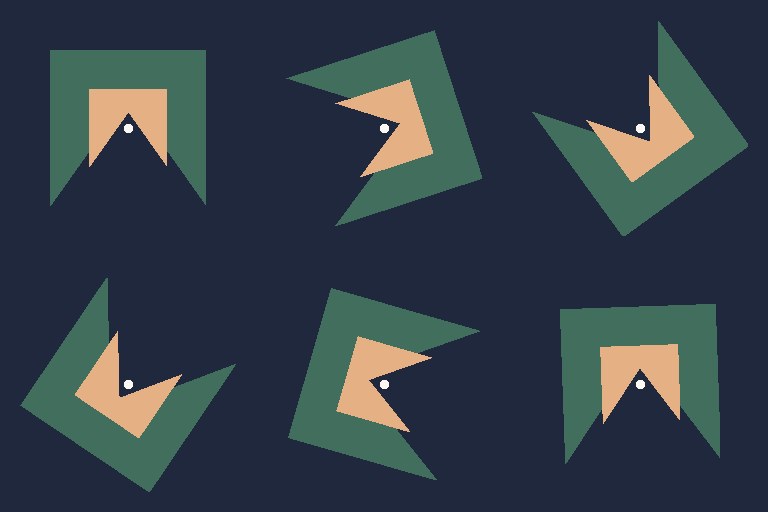
package main

import "github.com/peterhellberg/gfx"

var en4 = gfx.PaletteEN4

func main() {
	a := &gfx.Animation{Delay: 10}

	c := gfx.V(128, 128)

	p := gfx.Polygon{
		gfx.V(50, 50),
		gfx.V(50, 206),
		gfx.V(128, 96),
		gfx.V(206, 206),
		gfx.V(206, 50),
	}

	for d := 0.0; d < 360; d += 2 {
		m := gfx.NewPaletted(256, 256, en4, en4.Color(3))

		matrix := gfx.IM.RotatedDegrees(c, d)

		gfx.DrawPolygon(m, p.Project(matrix), 0, en4.Color(2))
		gfx.DrawPolygon(m, p.Project(matrix.Scaled(c, 0.5)), 0, en4.Color(1))

		gfx.DrawCircleFilled(m, c, 5, en4.Color(0))

		a.AddPalettedImage(m)
	}

	a.SaveGIF("/tmp/gfx-readme-examples-matrix.gif")
}gfx.Vec3 is a 3D vector type with X, Y and Z components.
gfx.Box is a 3D box. It is defined by two gfx.Vec3, Min and Max
The gfx.Error type is a string that implements the error interface.
If you are using Ebiten then you can return the provided
gfx.ErrDoneerror to exit its run loop.
HTTP helpers live in the gfxhttp subpackage so that importers of gfx
who do not need them are not forced to pull in net/http (and its
transitive crypto/tls, crypto/x509, net, etc.).
import "github.com/peterhellberg/gfx/gfxhttp"

img, err := gfxhttp.GetPNG(ctx, "https://example.com/sprite.png")
gfxhttp.NewClient accepts options like WithUserAgent, WithTimeout,
WithHTTPClient and WithHeader. Non-2xx responses are returned as
*gfxhttp.StatusError. Map tile servers are available through
gfxhttp.TileServer.
I find that it is fairly common for me to do some logging driven development
when experimenting with graphical effects, so I've included gfx.Log,
gfx.Dump, gfx.Printf and gfx.Sprintf in this package.
I have included a few functions that call functions in the math package
(gfx.MathMin, gfx.MathMax, gfx.MathAbs, gfx.MathSqrt, …) so that you
don't have to import math yourself.
gfx.Sign, gfx.Clamp and gfx.Lerp are generic: gfx.Sign and gfx.Lerp
work on any numeric type (the gfx.Numeric/gfx.Signed constraints) and
gfx.Clamp works on any cmp.Ordered type.
I have included a few functions that call functions in the cmplx package.
It is fairly common to read files in my experiments, so I've included gfx.ReadFile and gfx.ReadJSON in this package.
You can use gfx.ResizeImage to resize an image. (nearest neighbor, mainly useful for pixelated graphics)
Different types of noise is often used in procedural generation.
SimplexNoise is a speed-improved simplex noise algorithm for 2D, 3D and 4D.

package main

import "github.com/peterhellberg/gfx"

func main() {
	sn := gfx.NewSimplexNoise(17)

	dst := gfx.NewImage(1024, 256)

	gfx.EachImageVec(dst, gfx.ZV, func(u gfx.Vec) {
		n := sn.Noise2D(u.X/900, u.Y/900)
		c := gfx.PaletteSplendor128.At(n / 2)

		gfx.SetVec(dst, u, c)
	})

	gfx.SavePNG("gfx-example-simplex.png", dst)
}You can construct new colors using gfx.ColorRGBA, gfx.ColorNRGBA, gfx.ColorGray, gfx.ColorGray16 and gfx.ColorWithAlpha.
There is also a gfx.LerpColors function that performs linear interpolation between two colors.
There are a few default colors in this package, convenient when you just want to experiment,
for more ambitious projects I suggest creating a gfx.Palette (or even use one of the included palettes).
| Variable | Color |
|---|---|
gfx.ColorBlack |
 |
gfx.ColorWhite |
 |
gfx.ColorTransparent |
 |
gfx.ColorOpaque |
 |
gfx.ColorRed |
 |
gfx.ColorGreen |
 |
gfx.ColorBlue |
 |
gfx.ColorCyan |
 |
gfx.ColorMagenta |
 |
gfx.ColorYellow |
 |
Each gfx.BlockColor consists of a Dark, Medium and Light shade of the same color.
| Variable | Block Color |
|---|---|
gfx.BlockColorYellow |
 |
gfx.BlockColorOrange |
 |
gfx.BlockColorBrown |
 |
gfx.BlockColorGreen |
 |
gfx.BlockColorBlue |
 |
gfx.BlockColorPurple |
 |
gfx.BlockColorRed |
 |
gfx.BlockColorWhite |
 |
gfx.BlockColorBlack |
 |
gfx.BlockColorGoGopherBlue |
 |
gfx.BlockColorGoLightBlue |
 |
gfx.BlockColorGoAqua |
 |
gfx.BlockColorGoFuchsia |
 |
gfx.BlockColorGoBlack |
 |
gfx.BlockColorGoYellow |
 |
There are a number of palettes in the gfx package,
most of them are found in the Lospec Palette List.
| Variable | Colors | Lospec Palette |
|---|---|---|
gfx.Palette1Bit |
2 |  |
gfx.Palette2BitGrayScale |
4 |  |
gfx.PaletteEN4 |
4 |  |
gfx.PaletteARQ4 |
4 |  |
gfx.PaletteInk |
5 |  |
gfx.Palette3Bit |
8 |  |
gfx.PaletteEDG8 |
8 |  |
gfx.PaletteAmmo8 |
8 |  |
gfx.PaletteNYX8 |
8 |  |
gfx.Palette15PDX |
15 |  |
gfx.PaletteCGA |
16 |  |
gfx.PalettePICO8 |
16 |  |
gfx.PaletteNight16 |
16 |  |
gfx.PaletteAAP16 |
16 |  |
gfx.PaletteArne16 |
16 |  |
gfx.PaletteEDG16 |
16 |  |
gfx.Palette20PDX |
20 |  |
gfx.PaletteTango |
27 |  |
gfx.PaletteEDG32 |
32 |  |
gfx.PaletteEDG36 |
36 |  |
gfx.PaletteEDG64 |
64 |  |
gfx.PaletteAAP64 |
64 |  |
gfx.PaletteFamicube |
64 |  |
gfx.PaletteSplendor128 |
128 |  |
The palette images were generated like this:
package main

import "github.com/peterhellberg/gfx"

func main() {
	for size, paletteLookup := range gfx.PalettesByNumberOfColors {
		for name, palette := range paletteLookup {
			dst := gfx.NewImage(size, 1)

			for x, c := range palette {
				dst.Set(x, 0, c)
			}

			filename := gfx.Sprintf("gfx-Palette%s.png", name)

			gfx.SavePNG(filename, gfx.NewResizedImage(dst, 1120, 96))
		}
	}
}
Copyright (c) 2019-2026 Peter Hellberg
Permission is hereby granted, free of charge, to any person obtaining a copy of this software and associated documentation files (the "Software"), to deal in the Software without restriction, including without limitation the rights to use, copy, modify, merge, publish, distribute, sublicense, and/or sell copies of the Software, and to permit persons to whom the Software is furnished to do so, subject to the following conditions:
The above copyright notice and this permission notice shall be included in all copies or substantial portions of the Software.
THE SOFTWARE IS PROVIDED "AS IS", WITHOUT WARRANTY OF ANY KIND, EXPRESS OR IMPLIED, INCLUDING BUT NOT LIMITED TO THE WARRANTIES OF MERCHANTABILITY, FITNESS FOR A PARTICULAR PURPOSE AND NONINFRINGEMENT. IN NO EVENT SHALL THE AUTHORS OR COPYRIGHT HOLDERS BE LIABLE FOR ANY CLAIM, DAMAGES OR OTHER LIABILITY, WHETHER IN AN ACTION OF CONTRACT, TORT OR OTHERWISE, ARISING FROM, OUT OF OR IN CONNECTION WITH THE SOFTWARE OR THE USE OR OTHER DEALINGS IN THE SOFTWARE.
