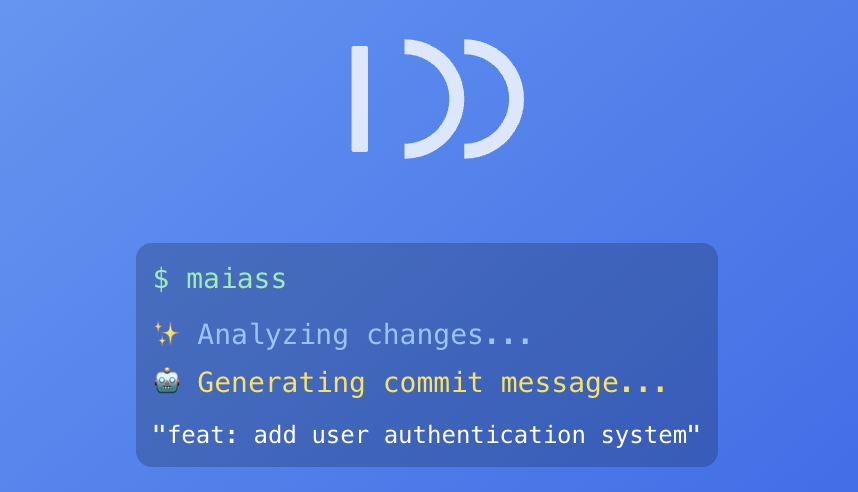
AI commit messages, version bumps, and changelogs from one command.



Run maiass in any git repo and it stages your changes, writes the commit message, bumps the version, updates the changelog, and merges the branch. It's for developers who do this routine every day and want the keystrokes back. Anonymous on first run — no email, no card, no sign-up.
Site: maiass.net · Bash/Homebrew source: bashmaiass
npm — all platforms (primary):
npm install -g maiassHomebrew — macOS:
brew tap vsmash/maiass && brew install maiassRequires Node.js 20+ for the npm install. Linux script install and other options are in the docs.
# First time in a project — run setup
maiass --setup

# Everyday use — commit, merge, bump patch version
maiass

# Specific version bumps
maiass minor    # 1.2.3 → 1.3.0
maiass major    # 1.2.3 → 2.0.0

# Commit only, skip version management
maiass --commits-only

# Preview without making changes
maiass --dry-run patchOne flag installs a CI workflow that runs maiass -a patch every time a PR merges into your develop branch — so version bumps and changelog entries never get forgotten.
# GitHub Actions — writes .github/workflows/maiass-version-bump.yml
maiass --create-gh-action

# GitLab CI — prints a job stage to paste into .gitlab-ci.yml
maiass --show-gl-excerpt

# Bitbucket Pipelines — prints a step to paste into bitbucket-pipelines.yml
maiass --show-bb-excerpt
The installed workflow sets MAIASS_AI_MODE=off, so the bump runs at zero AI credit cost. Your configured MAIASS_DEVELOPBRANCH is baked into the trigger filter at install time. Full setup (PAT scopes for GitHub, double-bump guard for GitLab/Bitbucket) in the workflow docs.
First run creates a subscription tied to a machine fingerprint — no email, no account, no card. When you need credits, top up at maiass.net or run maiass --setup to add an API key for a named account.
API keys live in OS-level secure storage (Keychain on macOS, Secret Service on Linux, encrypted local store on Windows), never in your repo. Commit diffs are sent to the proxy to generate the message and aren't stored — token counts, model, timestamp, and source IP are kept for billing and abuse prevention.
AI mode per project in .env.maiass: ask / autosuggest / off.
Run maiass account-info to see your subscription ID, credit balance, and top-up link.
- AI commit messages — analyses your diff and suggests a structured commit message
- CI auto-version-bump — one flag installs a GitHub Actions, GitLab CI, or Bitbucket Pipelines workflow that bumps the version on every merge to your develop branch, at zero AI credit cost
- Version management — detects and bumps
package.json,composer.json,VERSION,.pbxproj(Swift/Xcode), and more - Changelog generation — user-facing
CHANGELOG.mdand internal developer changelog - Branch workflow — feature → develop → staging → main with merge handling
- Ticket integration — ticket numbers auto-detected from branch names (Jira
ABC-123, GitHub/Trello#123or123) - First-run friendly — works immediately with sensible defaults, no blocking setup
MAIASS uses .env.maiass files for configuration:
| File | Purpose |
|---|---|
.env.maiass |
Project settings, committed to git |
.env.maiass.local |
Personal overrides, gitignored |
Run maiass --setup to configure a project interactively, or edit .env.maiass directly.
Common variables:
MAIASS_AI_MODE=ask
MAIASS_MAINBRANCH=main
MAIASS_DEVELOPBRANCH=develop
MAIASS_STAGINGBRANCH=staging
MAIASS_VERSION_PRIMARY_FILE=package.json
MAIASS_DEBUG=true # verbose output| Format | Example |
|---|---|
| npm | package.json |
| PHP/Composer | composer.json |
| WordPress | style.css, plugin.php |
| Plain text | VERSION |
| Swift/Xcode | *.xcodeproj/project.pbxproj |
| Doc | Description |
|---|---|
| Configuration | All config variables and .env.maiass options |
| Commands | Full command reference |
| Workflow | How the 4-phase pipeline works |
| Setup | Platform-specific setup notes |
| API Reference | Internal module API |
| Development | Contributing and dev setup |
Issues and PRs welcome. See docs/development.md to get started.
- Git community for workflow inspiration
- All contributors and testers
GNU General Public License v3.0


MAIASS is a backronym for Modular AI-Assisted Semantic Scribe. It's also pronounced however you like.
